


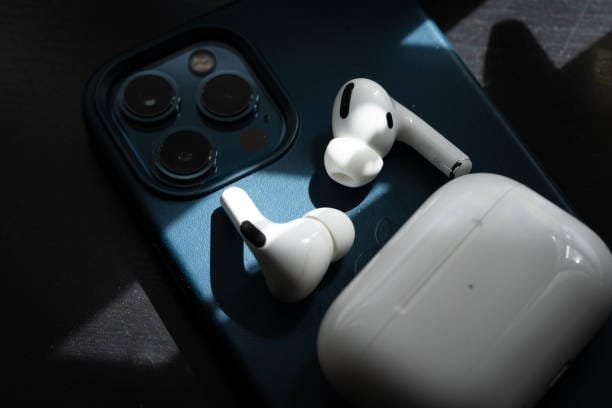
How Should AirPods Pro Fit: Ensuring Comfort and Sound Quality
Apple’s AirPods Pro are widely known for their superior sound quality, active noise cancellation, and sleek design. However, to get the best experience from your AirPods Pro, it’s essential that they fit properly. A good fit ensures that you get optimal sound, noise cancellation, and overall comfort. In this blog, we’ll guide you on how AirPods Pro should fit in your ears, common issues users face with fitment, and tips to ensure maximum comfort and performance.
How Are AirPods Pro Supposed to Fit?
AirPods Pro are designed to fit securely inside your ears, providing a snug, in-ear seal. The fit is crucial because it influences both the audio experience and the effectiveness of active noise cancellation. Here’s what you should know about their fit:
- In-Ear Design: Unlike the regular AirPods, the AirPods Pro features a flexible silicone tip that fits snugly inside the ear canal. This helps achieve a better seal, ensuring that sound stays inside the ear and minimizes external noise.
- Noise Cancellation: A good seal is essential for effective active noise cancellation (ANC). If the tips don’t fit properly, the ANC may not perform as expected, letting in ambient noise.
- Comfort: While they should feel secure, the AirPods Pro should not cause discomfort or pain. You should be able to wear them for hours without any irritation.
AirPods Pro Fitment: Finding the Right Fit for You
When it comes to AirPods Pro, one size does not fit all. Apple provides three different sizes of silicone ear tips: small, medium, and large. To get the best fit, it’s important to try all the sizes and choose the one that feels most comfortable and secure.
Here’s how to ensure the perfect fit:
- Try All the Sizes: When you unbox your AirPods Pro, you’ll find three sizes of silicone tips. Start with the medium size, as it’s the default option. However, if it feels uncomfortable or doesn’t stay in place, switch to the small or large tips to find a better fit.
- The In-Ear Test: Place each ear tip into your ear and gently twist the AirPods Pro until they feel secure. The tips should create a seal in your ear canal, but it shouldn’t feel too tight.
- Fit Test in Settings: Apple provides an ear tip fit test on your iPhone that helps you determine whether the AirPods Pro tips are the right size. Here’s how to use it:
- Connect your AirPods Pro to your iPhone.
- Go to Settings > Bluetooth.
- Tap the “i” icon next to your AirPods Pro, then select Ear Tip Fit Test.
- Play a sound, and your iPhone will tell you if the seal is good or if you need to try a different size.
How to Fit AirPods Pro in Your Ear?
Fitting AirPods Pro in your ears properly is simple but important. Here’s how to do it:
- Insert the Silicone Tip into Your Ear Canal: Gently insert the silicone tip into your ear, ensuring it creates a tight seal.
- Rotate the AirPod Slightly: Once the AirPods Pro are inserted, rotate them forward or backward to achieve the best fit. You should feel them snugly seated without any discomfort.
- Check for Movement: Shake your head gently. The AirPods Pro should remain in place without feeling loose or sliding out.
- Adjust for Comfort: If you feel discomfort, try adjusting the angle or switching to a different ear tip size.
AirPods Pro First Charge: How Long Should It Take?
When you first get your AirPods Pro, it’s a good idea to charge them fully before using them for extended periods. However, don’t worry about overcharging — the AirPods Pro case is designed to protect the battery.
Here’s how long it typically takes to fully charge your AirPods Pro:
- Charging Time for AirPods Pro: It takes about 1.5 hours to fully charge the AirPods Pro.
- Charging the Case: The AirPods Pro charging case takes about 2 hours to charge fully when using a wired connection, and slightly longer if you are using wireless charging.
Once fully charged, you can expect about 4.5 hours of listening time with noise cancellation on. The case provides additional charges, giving you up to 24 hours of total listening time.
Common AirPods Pro Fitment Issues and How to Fix Them
Some users may experience issues with their AirPods Pro not fitting correctly or not staying in place. Here are some common problems and solutions:
- AirPods Pro Keep Falling Out
If your AirPods Pro aren’t staying in place, it could be because the ear tips aren’t the right size for your ears. Try switching to a larger or smaller size of ear tips for a better fit. - Discomfort or Pain from the Silicone Tips
If you experience discomfort after wearing the AirPods Pro for a while, check that the tips are securely and comfortably seated in your ears. Try switching to a different ear tip size or consider gently rotating the AirPods to ensure they’re seated correctly. - Poor Sound Quality or Noise Cancellation
If the sound quality or ANC isn’t as good as expected, it might be because of an improper seal. Make sure the tips are inserted properly and the right size is being used.
Why Proper Fit is Important for AirPods Pro Performance
The fit of your AirPods Pro directly impacts the overall listening experience, especially when it comes to:
- Sound Quality: A proper seal in your ear canal ensures the best sound quality, with deep bass and clear mids and highs. If the seal is too loose, sound leakage may occur, affecting the quality of music or calls.
- Active Noise Cancellation (ANC): The silicone ear tips are crucial for the effectiveness of ANC. A good seal blocks external noise, ensuring you can enjoy your music or calls without distractions. If the fit is off, you might not experience the full benefits of noise cancellation.
- Comfort: A comfortable fit is essential for long listening sessions. AirPods Pro should feel like they’re securely in place without causing pain or discomfort, even after hours of use.
Conclusion
AirPods Pro are designed to provide superior audio performance, but achieving that excellence depends on getting the right fit. By choosing the correct size of ear tips and ensuring a snug, comfortable fit, you can enjoy the best sound, noise cancellation, and comfort.
If you’re still having trouble getting the right fit, don’t hesitate to try different sizes or adjust the position in your ear until you find what works best for you. Remember, a good fit not only enhances your experience but also ensures that your AirPods Pro stay securely in place, providing hours of audio enjoyment.

