



Sending every prompt to a cloud API is not the only option anymore. In 2026 you can run LLMs in the browser on the user’s own GPU, with no server bill, no data leaving the device, and even offline support. WebGPU now ships in all major browsers, and three JavaScript libraries have matured enough for production: WebLLM, Transformers.js, and ONNX Runtime Web. Chrome also adds a fourth path with its built-in Prompt API.
This guide compares all four, shows working code, and helps you pick the right one for your project.
Why Run LLMs in the Browser?
Client-side inference changes the cost and privacy math of AI features. Here is what you gain:
- Zero inference cost: the user’s GPU does the work, so your token bill for these features drops to zero.
- Privacy by design: prompts and documents never leave the device, which helps with GDPR and internal data rules.
- Low latency and offline use: once the model is cached, there is no network round-trip.
- Simple scaling: every new user brings their own compute.
The trade-offs are real too. Models must be small (usually 0.5B to 4B parameters, quantized to 4-bit), the first load can be hundreds of megabytes, and performance depends on the user’s hardware.

WebGPU: The Engine Behind In-Browser LLMs
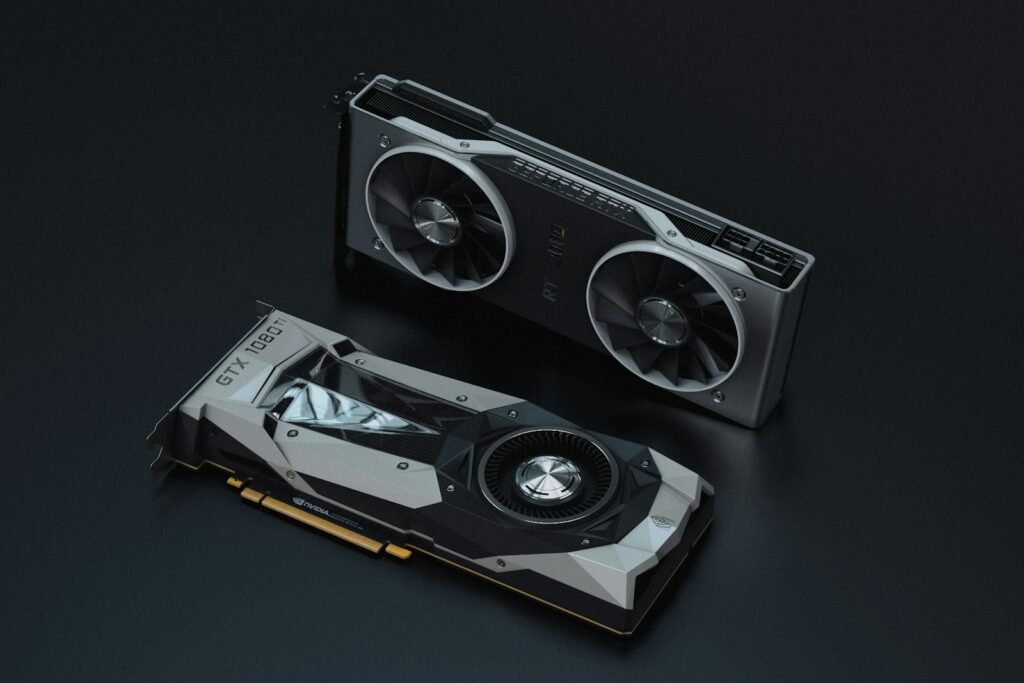
WebGPU gives JavaScript direct, modern access to the GPU for compute work. According to web.dev, WebGPU is now supported in Chrome, Edge, Firefox, and Safari. Chrome shipped it in 2023, while Safari 26 and Firefox 141 followed in 2025.
The speed difference is large. Community benchmarks report WebGPU running 5 to 20 times faster than WebAssembly for neural network inference. For example, a Qwen3 1.7B model reaches around 28 tokens per second on WebGPU with a high-end desktop GPU, versus about 3 tokens per second on the WASM CPU path. Always keep a WASM fallback for devices without WebGPU.
WebLLM: Best for In-Browser Chat
WebLLM from the MLC AI team compiles models ahead of time into optimized WebGPU kernels using MLC-LLM. It is built only for language models, and that focus shows in its throughput and its API.
- OpenAI-compatible
chat.completionsAPI with streaming and JSON mode - Runs well in a Web Worker or Service Worker to keep the UI responsive
- Prebuilt quantized models such as Llama, Qwen, Phi, Gemma, and Mistral families
- Handles larger models (3B to 8B) better than general-purpose runtimes
import { CreateMLCEngine } from "@mlc-ai/web-llm";

const engine = await CreateMLCEngine("Qwen2.5-1.5B-Instruct-q4f16_1-MLC", {
  initProgressCallback: (p) => console.log(p.text),
});

const reply = await engine.chat.completions.create({
  messages: [{ role: "user", content: "Explain WebGPU in one sentence." }],
});
console.log(reply.choices[0].message.content);
Watch out for: you are limited to models that have been compiled for MLC, and the first download is large. Cache the model with the Cache API or IndexedDB (WebLLM does this for you) and show a progress bar.
Transformers.js: The Swiss Army Knife
Transformers.js by Hugging Face brings the familiar pipeline() API from Python to JavaScript. Under the hood it runs on ONNX Runtime Web and can use WebGPU when you set device: "webgpu".
- Covers text generation, embeddings, classification, speech-to-text, vision, and more
- Pulls ONNX models straight from the Hugging Face Hub
- Supports quantized dtypes like
q4andfp16 - Great for adding small AI features (search, summaries, tagging) without a backend
import { pipeline } from "@huggingface/transformers";

const generator = await pipeline(
  "text-generation",
  "onnx-community/Qwen2.5-0.5B-Instruct",
  { device: "webgpu", dtype: "q4" }
);

const out = await generator(
  [{ role: "user", content: "Give me 3 blog title ideas about Java." }],
  { max_new_tokens: 128 }
);
console.log(out[0].generated_text.at(-1).content);
If you only need a chat model and raw speed matters most, WebLLM usually wins. If you need embeddings for client-side semantic search plus a small LLM, Transformers.js keeps everything in one library.
ONNX Runtime Web: Maximum Control
ONNX Runtime Web is the lower-level engine that Transformers.js is built on. You load an .onnx file into an InferenceSession and manage tensors, tokenization, and the generation loop yourself. It supports WebGPU, WebNN, and WebAssembly execution providers.
Choose it when you already own a custom or fine-tuned model, need to tune the execution provider, or want to keep the bundle as small as possible. For most teams, it is more work than it is worth for plain chat.
Chrome Built-in AI: The Prompt API
Chrome is taking a different approach. Its Prompt API exposes Gemini Nano, a model the browser downloads once and shares across sites. You do not ship any weights at all.
if ((await LanguageModel.availability()) !== "unavailable") {
  const session = await LanguageModel.create();
  const answer = await session.prompt("Summarize this text: ...");
  console.log(answer);
}
The catch: it is Chrome-only, you cannot choose or fine-tune the model, and parts of the API are still rolling out. Treat it as a progressive enhancement and fall back to WebLLM or a cloud API elsewhere.
WebLLM vs Transformers.js vs ONNX Runtime Web: Side by Side
| Feature | WebLLM | Transformers.js | ONNX Runtime Web | Chrome Prompt API |
|---|---|---|---|---|
| Main focus | Chat LLMs | Many tasks (text, vision, audio, embeddings) | Any ONNX model | Built-in Gemini Nano |
| Engine | MLC-LLM compiled WebGPU kernels | ONNX Runtime Web | WebGPU, WebNN, WASM backends | Browser-managed |
| API style | OpenAI-compatible chat API | Hugging Face pipeline() | Low-level tensors and sessions | LanguageModel session |
| Model choice | Curated prebuilt MLC models | Thousands of ONNX models on the Hub | Bring your own | One model, fixed by Chrome |
| Download size for users | Large (hundreds of MB to GBs) | Small to large | Depends on your model | None per site (shared model) |
| Best for | In-browser chatbots and agents | Fast product features | Custom, tuned pipelines | Chrome-only light tasks |
Tips for Production
Pick the Right Model Size
Start with 0.5B to 1.5B models quantized to 4-bit for broad device support. Our guide to the best small language models covers good candidates.
Handle the First Load
- Show clear download progress and model size before starting
- Cache weights so repeat visits load in seconds
- Run inference in a Web Worker to avoid freezing the page
- Detect
navigator.gpuand fall back to WASM or a server API
Plan a Hybrid Setup
Many teams run simple tasks (classification, autocomplete, redaction) in the browser and route hard questions to a cloud model. If you also run models on your own machines, see our comparison of Ollama vs LM Studio vs Jan. Java teams wiring a cloud fallback can check Spring AI vs LangChain4j.

FAQ: Running LLMs in the Browser
Can I run an LLM in the browser without a server?
Yes. With WebLLM or Transformers.js and WebGPU, the model downloads once and runs fully on the user’s device. You only need static hosting for your web app.
Which is faster, WebLLM or Transformers.js?
For chat-style text generation, WebLLM is usually faster because it uses precompiled, LLM-specific WebGPU kernels. Transformers.js is more flexible and covers many more model types.
Does WebGPU work in Safari and Firefox?
Yes. Safari 26 and Firefox 141 added WebGPU in 2025, joining Chrome and Edge. Support on some platforms, such as Firefox on Linux, is still rolling out, so keep a fallback.
How big a model can run in the browser?
On a typical laptop, 1B to 4B parameter models at 4-bit quantization run well. High-end desktops can handle 7B to 8B models with WebLLM, but download size and memory become the main limits.
Conclusion
You can now run LLMs in the browser with real, usable performance. Pick WebLLM for fast in-browser chat, Transformers.js for a broad set of AI features with minimal code, ONNX Runtime Web when you need full control over a custom model, and the Chrome Prompt API as a zero-download bonus for Chrome users. Start with a small quantized model, cache it well, and keep a cloud fallback.
Ready to try it? Build a small WebLLM demo this week, and follow NewsifyAll for more hands-on AI and LLM guides for developers.

